
Telegram
The Telegram service sends the panel's notices to Telegram chats: a customer about to expire or run out of traffic, a node going down, a backup that failed. Each chat is paired to one panel account and hears only what that account may see, so a reseller's chat hears about its own customers and nothing else. A paired chat can also ask the bot a few read-only questions. The service is under Services → Telegram and is set up by a main admin.
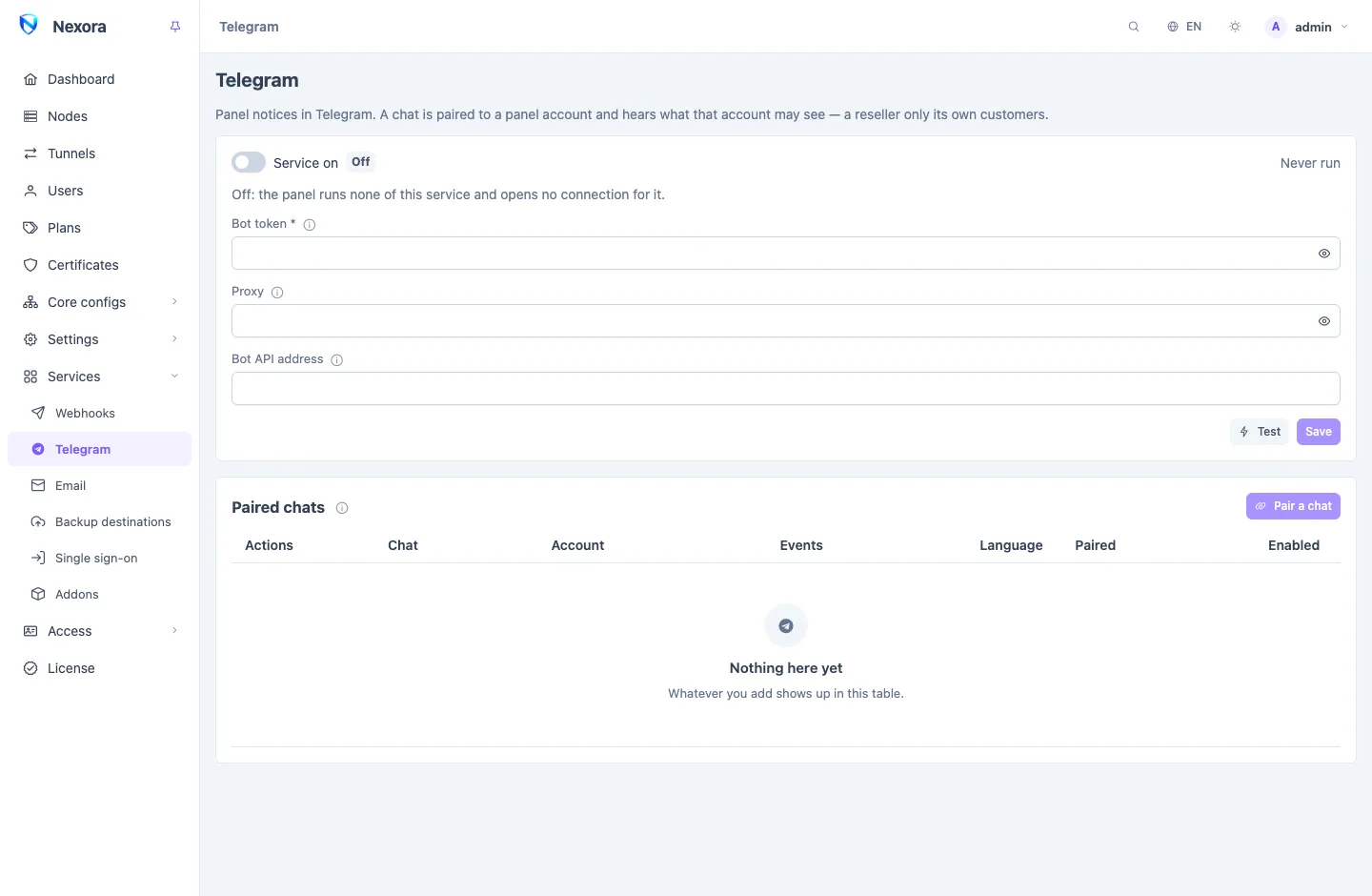
Setting up the bot
- In Telegram, talk to @BotFather, send
/newbot, and copy the token it gives you. - Paste it into Bot token. Use a bot of its own for the panel: while a chat is being paired the panel reads the bot's messages, and another program reading the same bot would take them first.
- If this server cannot reach
api.telegram.org(it is blocked in some countries), fill in one of:- Proxy:
socks5://host:portorhttp://host:port. A username and password go in the address:socks5://user:pass@host:port. - Bot API address: a Telegram Bot API server you run somewhere that can reach Telegram, instead of a proxy.
- Proxy:
- Switch Service on, save, and press Test. The test uses what is saved, so save first.
Like every service, it does nothing while it is off. The token is never shown again once saved: the box says Set — leave empty to keep, and an empty box keeps the stored value. Last run shows when the service last did something, and the last error if that failed.
Pairing a chat
- Pair a chat.
- Choose the Account whose notices the chat gets.
- Choose the Language of its notices.
- Choose its Events: Everything this account may read (which includes events a later release adds), or untick it and pick. An event the account cannot see is greyed out; its chat never receives it.
- Get a code.
The dialog then shows three ways to finish:
- a link and a QR code: open it in Telegram on the account that should get the notices and press Start;
- the code itself, to send to the bot by hand;
- for a group, Add the bot to a group, which lets you pick the group and sends the code there, or the line
/start@yourbot CODEto send in a group the bot is already in.
In a group the bot hears only commands addressed to it by name, so a bare code sent there is not seen. The code is good for ten minutes. The dialog says Chat paired as soon as the bot receives it.
WARNING
Everyone in a group reads what its account may read. Pair a group to a reseller only if every member may see that reseller's customers.
Each account pairs its own
Every account can pair its own chat from its menu, My Telegram, with the same steps. A reseller does not need the main admin for it. My Telegram also lists the account's own chats and their deliveries.
What arrives
A notice is a short message in the chat's language: what happened, then the fields that matter to a person (the account, its traffic and date, the node and its error). Any event in Event catalogue can be chosen. A few that operators usually keep:
| Event | When |
|---|---|
user.quota_warning, user.expiring | an account is close to its traffic or its date |
user.disabled | an account was switched off for traffic or date |
node.disconnected, node.connected | a node stopped or started answering |
node.disk_high, node.memory_high | a node's disk or memory crossed its threshold |
panel.backup_failed, panel.backup_upload_failed | a backup or its upload failed |
admin.login_new_ip | an account logged in from a new address |
A reseller's chat receives only events about its own users and its own account: node and panel events never reach it.
The chat list
Each row shows the chat, its Account, its Events, its Language and when it was Paired, with a switch to pause it. From the row menu:
- Edit: change the events or the language.
- Send test message.
- Deliveries: every notice sent to the chat, delivered, waiting for another try, or given up, with Telegram's answer, and Send again on any of them.
- Unpair: the chat stops receiving notices; pairing it again needs a new code.
A chat is retried the way a webhook is (see Webhooks and events), so notices sent while Telegram or the proxy was down arrive when it is back. While the service is off, paired chats receive nothing until it is switched on again.
Commands
In a paired chat:
| Command | Answers |
|---|---|
/status | a summary: accounts by status and online now (a reseller only its own) and, for main admins and operators, the nodes |
/user name | one account: traffic, expiry, online (a reseller only its own) |
/node name | one node (main admins and operators) |
In a group, add the bot's name: /user@yourbot name. The commands only read; nothing in a chat can change the panel. A chat paired to a reseller whose account has expired is told so.
Removing an account's chats
Deleting an account removes its chats. So does a main admin resetting its password on the Admins page, so that whoever had the old password keeps no way to read the account's notices. The account pairs its chats again afterwards.
Related
- Backup destinations: send each backup to a chat through the same bot.
- Email: the same notices by mail.
- Webhooks and events: the thresholds behind the node and account warnings.
- Event catalogue: every event.