
Backup destinations
A backup that lives only on the panel's server is lost with that server. A backup destination sends a copy of every archive somewhere else: S3-compatible storage, an SFTP server, or a Telegram chat. Every archive the panel writes, scheduled or taken by hand under Settings → Backup, goes to each destination that is on, in the background. The page is under Services → Backup destinations and is set up by a main admin.
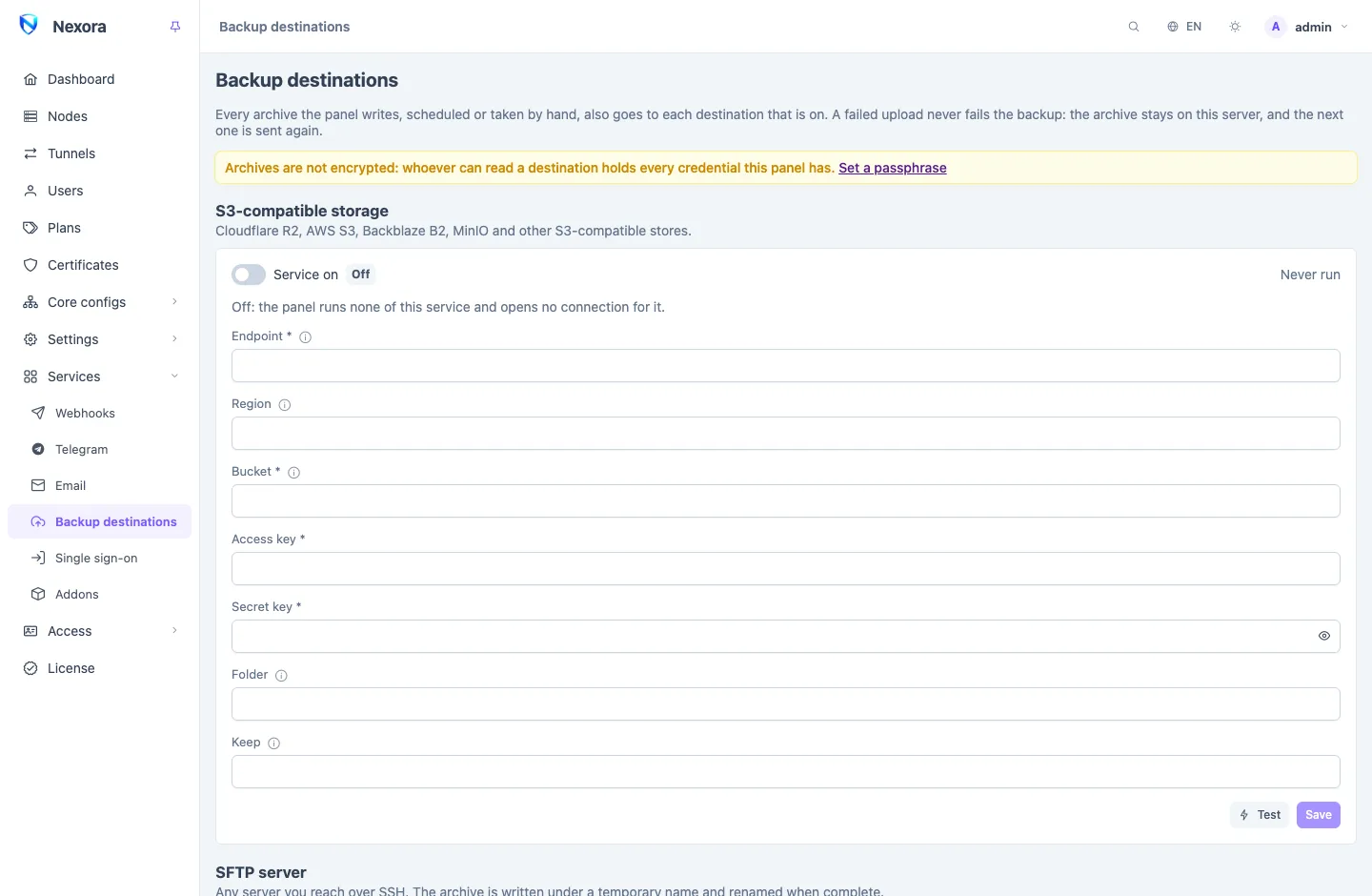
Set a passphrase first
An archive holds every credential this panel has. Unencrypted, whoever can read a destination has them all. Set a backup passphrase under Settings → Backup before you switch a destination on; the page warns while there is none.
Each destination is a card with Service on, its settings, Test (which tries what is saved, so save first) and Last run. A key or password is never shown again once saved; an empty box keeps the stored one.
S3-compatible storage
Cloudflare R2, AWS S3, Backblaze B2, MinIO, and any other storage that speaks the S3 protocol, including object storage from local providers.
| Setting | |
|---|---|
| Endpoint | the storage's address without the bucket, such as https://<account>.r2.cloudflarestorage.com, https://s3.<region>.amazonaws.com, https://s3.<region>.backblazeb2.com, or your MinIO |
| Region | empty = us-east-1, which R2 and MinIO accept; AWS needs the bucket's own region |
| Bucket | must already exist |
| Access key, Secret key | a key that may write, list and delete in that bucket |
| Folder | a folder inside the bucket; empty = its root |
| Keep | how many archives to keep there (see Retention) |
SFTP
Any server you reach over SSH.
| Setting | |
|---|---|
| Host, Port | no scheme; an empty port is 22 |
| Username | |
| Password, Private key | either or both; the key in PEM or OpenSSH form, without a passphrase |
| Host key | filled in on the first connection and checked on every one after it |
| Directory | created if missing; empty = the login's home directory |
| Keep | as for S3 |
The panel trusts the server's host key the first time it connects and refuses any other key after that. If the server was rebuilt and its key really changed, clear Host key and save; the next connection records the new one.
The archive is written under a temporary name and renamed when it is complete, so a half-uploaded file never looks like a backup.
Telegram
The archive arrives as a file in a chat, sent by the bot of the Telegram service and through its proxy, so set that service up first.
| Setting | |
|---|---|
| Chat id | a chat paired to a main-admin account, by the number the Telegram page shows under it |
The chat may be your private chat or a group paired to you. In a group every member receives the archive, and with it every credential the panel holds, so choose the group with that in mind.
The Bot API takes files up to 50 MB. A larger archive is refused with that reason rather than sent to fail; use S3 or SFTP for a panel whose backups are bigger. Nothing in the chat is ever deleted, so Keep does not apply here.
Addons' files
While this destination is on, an addon, or a script of yours, holding the backup:deliver permission can send its own file to the same chat. The panel passes it on without keeping it, captioned with the sender's name, the file name and its size: up to 50 MB and six files an hour per sender. An addon asks for this permission with its reason on the consent screen (see Addons page); switching the destination off stops every such send.
Retention
Keep is how many archives a destination holds. Empty uses the retention set on the Backup page; 0 keeps every archive. After each upload the oldest archives beyond that number are deleted from the destination.
Only files named like the panel's archives are ever deleted, so the same bucket or directory can hold other things.
When an upload fails
A failed upload never fails the backup:
- the archive stays on the panel's server;
- the destination's Last run shows the error;
- the event
panel.backup_upload_failedgoes out, to Telegram, email and any webhook that listens for it (see Webhooks and events); - the next archive is sent again as usual.
Watch for that event, or check Last run now and then: a destination that fails quietly for a month is a month of backups you do not have.
Related
- Backup and restore: the schedule, the passphrase and restoring.
- Telegram: the bot the Telegram destination sends through.
- Event catalogue:
panel.backup_done,panel.backup_failedandpanel.backup_upload_failed.