
Audit log
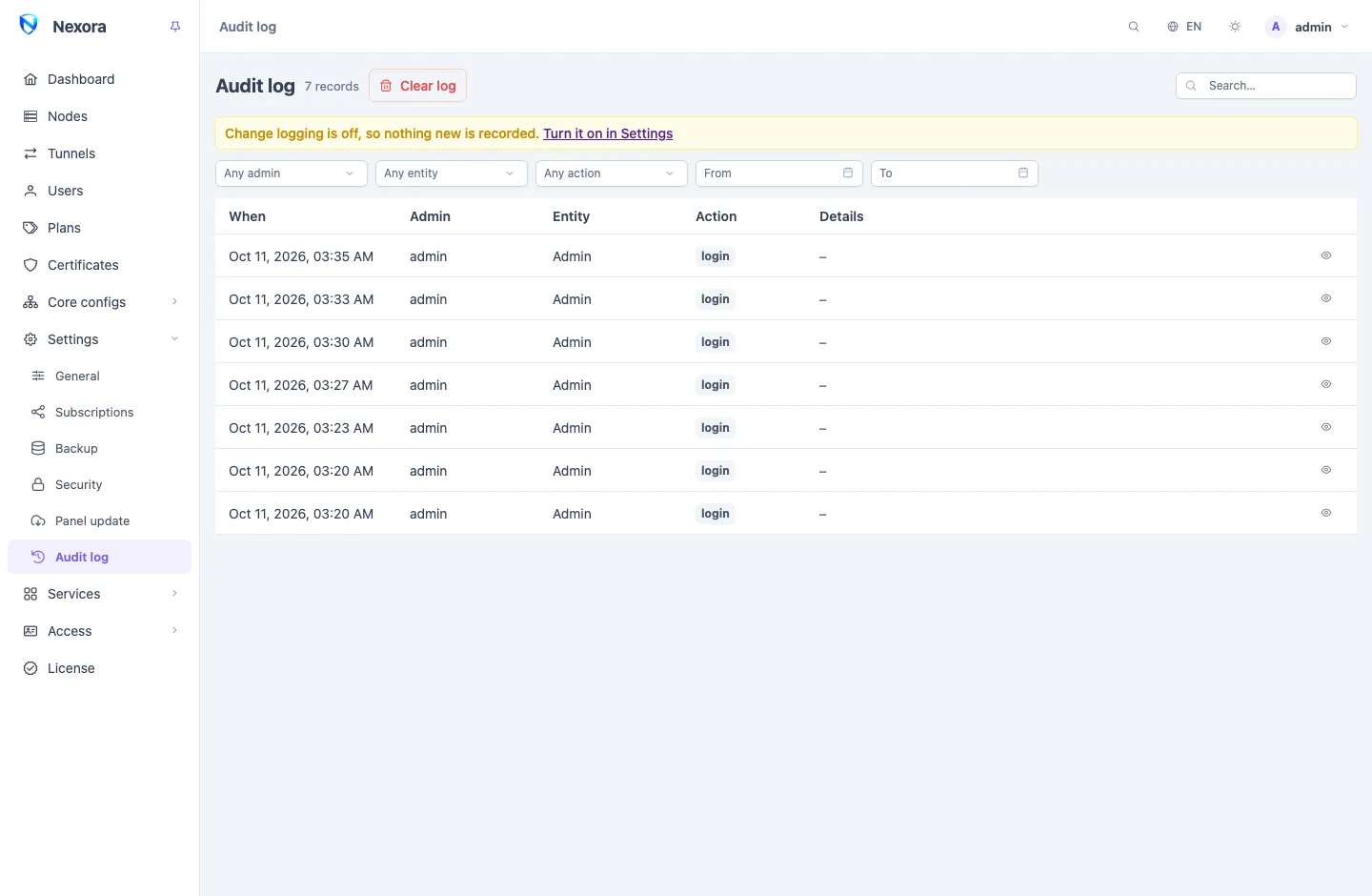
The audit log records what admins do in the panel: who signed in, and, when change logging is on, every record created, changed or deleted, with the account that did it. Only the main admin can read it. It is under Settings → Audit log in the sidebar.
What is recorded
Some actions are recorded always, whatever the settings say:
- every sign-in to the panel, and every failed attempt with the username that was typed;
- a sign-in from an address the account has not used before;
- two-factor authentication switched on or off, and new recovery codes;
- every export of users (a CSV list or a config pack), because an export carries every account's subscription link and leaves no other trace.
Everything else is recorded only while change logging is on. It is off on a new panel. Turn on Log admin changes (audit log) under Settings → General to record every create, update and delete across users, nodes, templates, inbounds, outbounds, endpoints, certificates, admins, API tokens, the licence and the panel's settings. When it is off, the page says Change logging is off, so nothing new is recorded and links to the setting.
An action with no admin behind it is recorded with system as the admin.
Reading a record
Each row shows When, the Admin, the Entity (what kind of record it was about) and the Action. View record opens the whole record with the details of the change, which you can copy.
Secrets are never stored: passwords, private keys, UUIDs and tokens appear as [redacted], in new records and old ones alike.
Filters
Narrow the list with:
- Any admin: one account, or system.
- Any entity: users, nodes, admins, the licence and so on.
- Any action: such as Create, Update, Delete, Install, Disconnect, or a sign-in.
- From and To: a date range.
Clear filters shows everything again.
How long records are kept
Keep records for (days), beside the logging switch in Settings → General, deletes older records automatically, once an hour. 0 keeps everything, and the log only grows. Sign-ins and exports are recorded even with logging off, so set a retention on a busy panel either way.
Backups include the audit log unless you leave it out when taking one (see Backup and restore).
Clearing the log
Clear log deletes every record at once, after a confirmation. It cannot be undone. With change logging on, the clearing itself is recorded as the first entry of the new log.
Related pages
- Security: login protection and banned addresses.
- Admins: the accounts the log names, and their sessions.
- Webhooks and events: the
admin.login_failedandadmin.login_new_ipevents, to hear about sign-ins as they happen.