
Outbounds
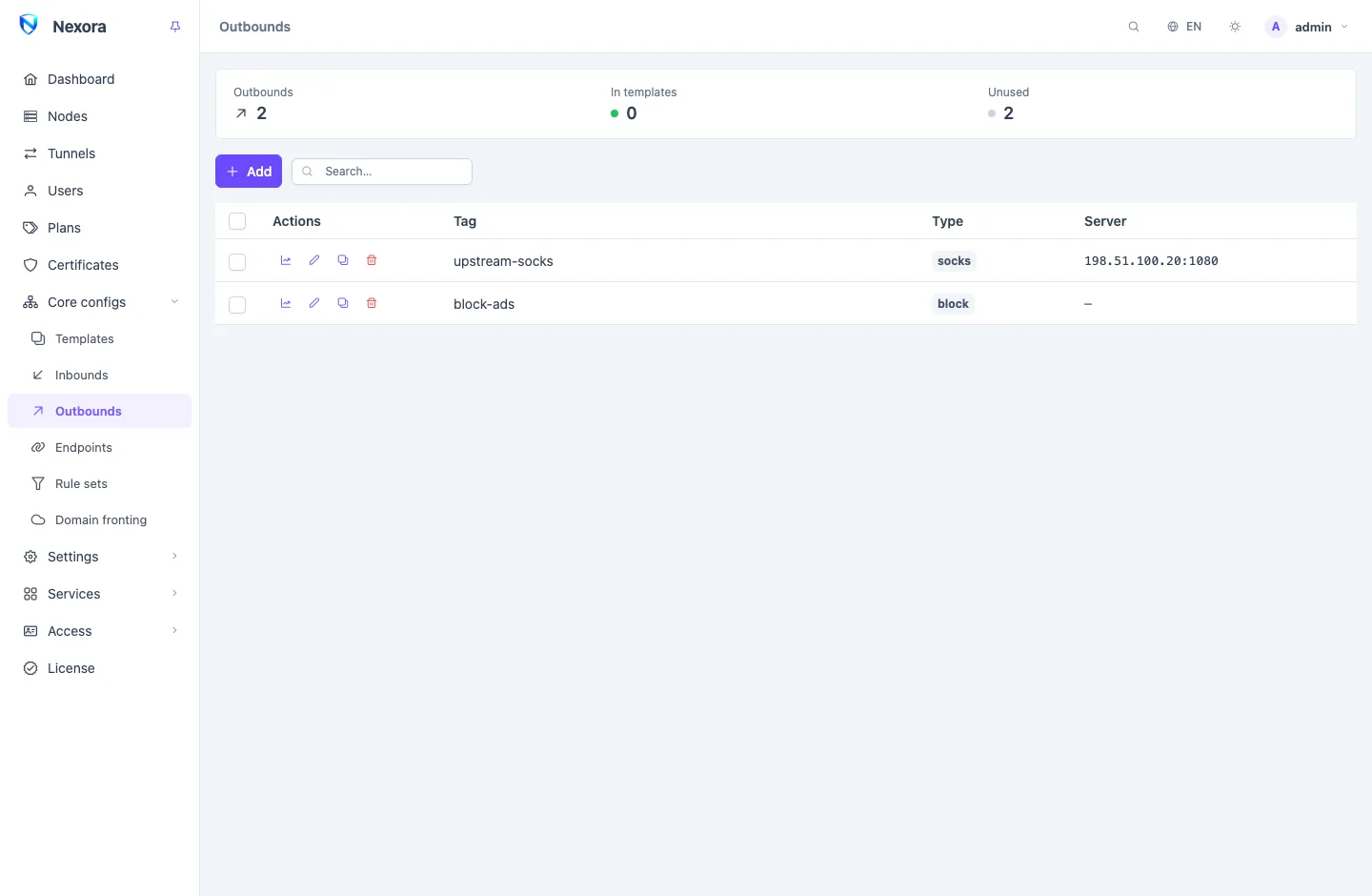
An Outbound is a way out for traffic that has reached a node: straight to the internet, blocked, or on to another proxy server. Routing picks the outbound for each connection. Outbounds live in a shared pool under Core configs → Outbounds and reach nodes through Templates.
When you need one
Every node has a built-in outbound named direct, and with no routing rules everything goes out through it, straight to the destination. That is what most fleets want. You add outbounds when traffic should go somewhere else:
- Block something: ads, torrents, a list of destinations.
- Chain through another server: send some or all traffic on to an upstream proxy, so the internet sees that server's address.
- Choose between several upstreams, by hand or by measured delay.
Types
| Type | What it does |
|---|---|
direct | Connects straight to the destination from the node. |
block | Refuses the connection. |
socks, http | Forwards to a SOCKS or HTTP proxy. |
shadowsocks, vmess, vless, trojan | Forwards to another proxy server speaking that protocol, with its own transport and TLS. |
hysteria, hysteria2, tuic | Forwards over QUIC to a server speaking that protocol. |
shadowtls, anytls, ssh, naive, mieru, snell, sudoku, trusttunnel, masque, tor | Further upstream types, for operators who already run such a server. |
selector | A group of other outbounds; one of them is used, chosen by you. |
urltest | A group of other outbounds; the one with the lowest measured delay is used. |
For a proxy upstream, fill in the server address, port and credentials on Basic and Protocol, and its transport and TLS on their tabs. The TLS tab offers None, TLS or REALITY, as the far server expects.
A selector or urltest lists the tags of the outbounds it chooses from. Those outbounds must be in the same template.
Adding an outbound
- Open Core configs → Outbounds and click Add.
- Pick the Type and give it a Tag. The tag is how routing names the outbound, and it is fixed after creation.
- Fill in the tabs the type shows.
- Click Save.
- Select it in a template's Outbounds, and name it in a routing rule or as the Final outbound.
An outbound that no template selects does nothing. The summary strip counts those under Unused.
How routing names an outbound
Routing refers to an outbound by its tag, in four places:
- a routing rule's Outbound;
- the template's Final outbound, which takes every connection no rule matched;
- another outbound that dials through it (a detour);
- a
selectororurltestthat lists it.
The Block torrents routing preset adds a block outbound of its own, named block-torrent, which the node counts. See Routing and DNS.
Checking an outbound
Route test, in the menu of a node's row or a user's row, walks the node's routing rules for a connection you describe and names the outbound that takes it. Test and connect also opens one real connection from the node down that path and reports whether the destination was reached and how long it took. Through a proxy upstream the answer can be "not refused, unconfirmed", because a proxy does not always say whether its far end connected. See Nodes.
Outbounds added to one node only, in the node's Config panel, each have a Test button that measures the delay through it from that node.
Per-node outbounds
A node can carry outbounds of its own on top of its template, under Per-node extra outbounds in its Config panel. Use this when one server needs an upstream the others do not, such as a different exit for one region.
Editing and deleting
Editing an outbound sends the change to every node that carries it. The Duplicate action copies one under a new tag.
The panel refuses to delete an outbound that something still names by tag: a routing rule, a template's final outbound, a detour, or a group. It lists those references. Repoint them, then delete. A node also refuses to drop an outbound its running routing still needs, so a change that removes an outbound and the rule naming it should be saved together.
Related
- Routing and DNS: the rules that pick an outbound.
- Templates: selecting outbounds for nodes.
- Endpoints: interfaces that act as a way out too.
- Tunnels: links between your own nodes, which routing can also send traffic to.